
Azure · Azure DevOps · Function App · iac · Infraestrutura como Código
Unable to find the storage account associated with the Function App
Recently I had to resolve an issue with an Azure Function deployment, using Bicep with the following message
Unable to find the storage account associated with the Function App
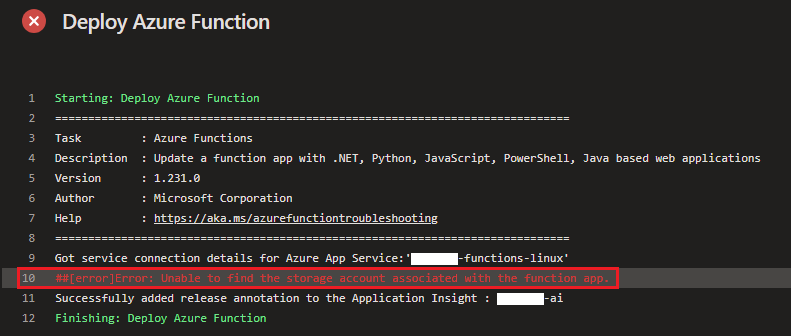
Verify Azure Function
First, I went to the Azure Portal and searched for the Azure Function, looked for Configuration and then Application Settings to understand
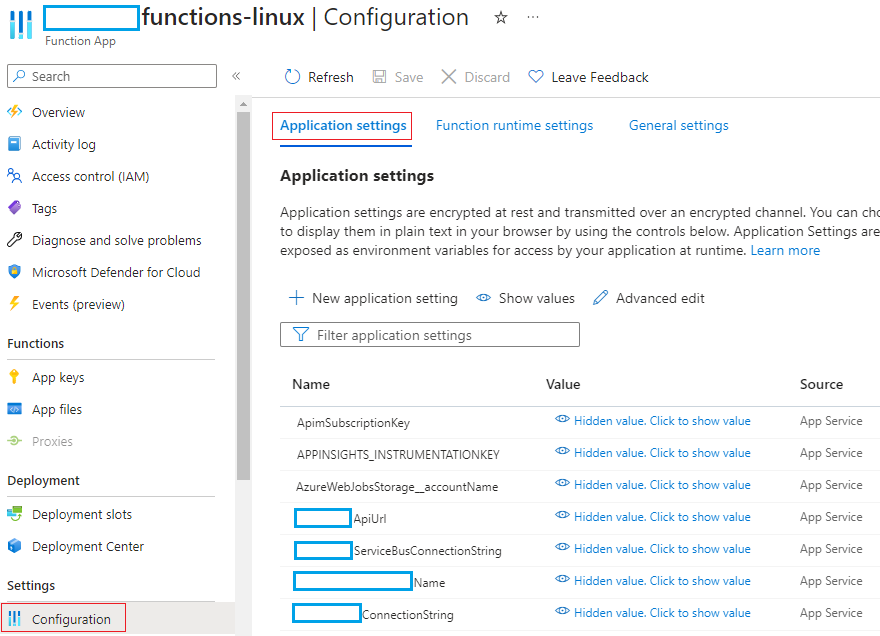
I quickly noted that the AzureWebJobsStorage setting did not exist, but I wasn’t sure if that could be the issue, so I found the following in Microsoft’s official documentation
AzureWebJobsStorage is used to store the connection string of the storage account associated with the Azure Function […] This app setting needs to be defined as a valid connection string
Verify the Bicep file
I decided to check the Bicep template file to understand what was happening
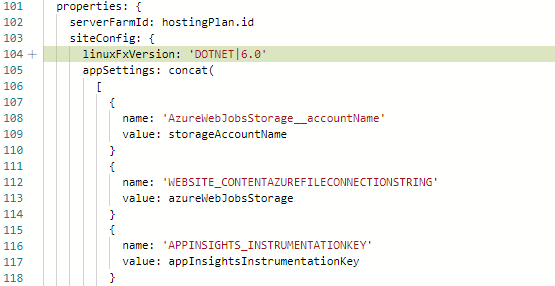
I found the azureWebJobsStorage variable declared and with the correct structure

And I continued to verify where this variable was being used and found it only in the parameter WEBSITE_CONTENTAZUREFILECONNECTIONSTRING
Solution
We will add the parameter AzureWebJobsStorage in appSettings and set its value to the variable azureWebJobsStorage
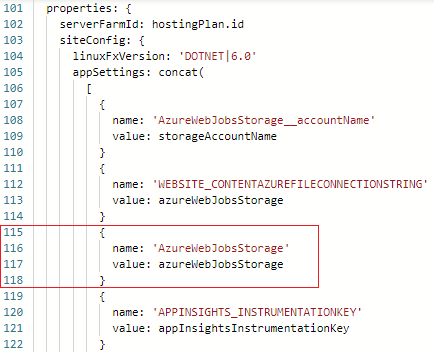
Then, run the pipeline again with the new parameter
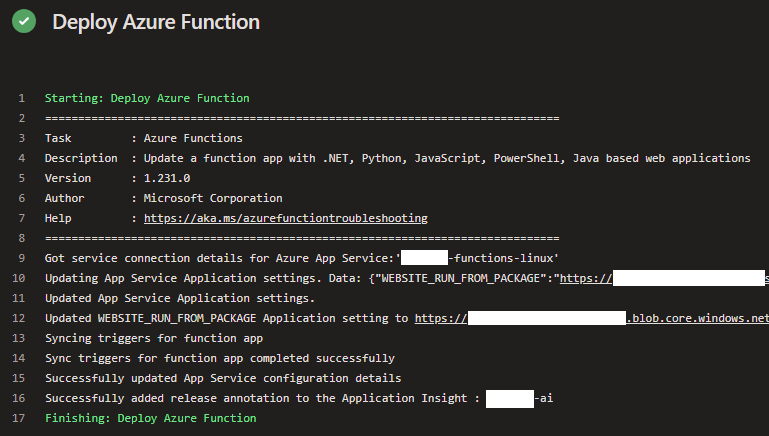
And by adding AzureWebJobsStorage to the Application Settings, the problem in the Azure Function was fixed.