
Azure · Segurança
Identify who made changes to Azure resources
On March 5, 2024, the Public Preview of the Change Actor feature was announced, which aims to facilitate identifying who made changes to Azure resources.
Now with the Change Analysis, you can see who initiated the change and which client was used, for all your Tenants and Subscriptions.
Testing the new feature
First you need to go to the Azure Resource Graph Explorer
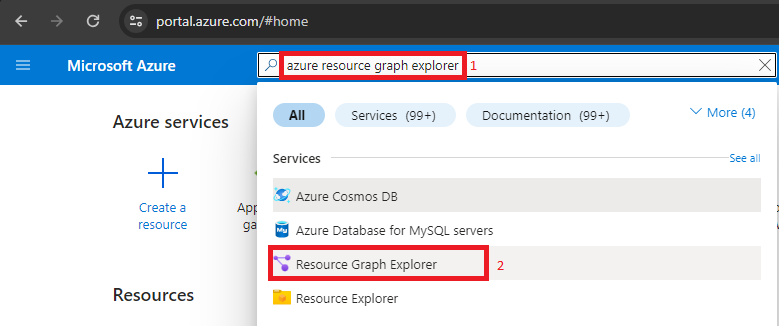
- In the Azure Portal search bar, look for Azure Resource Graph Explorer and click it
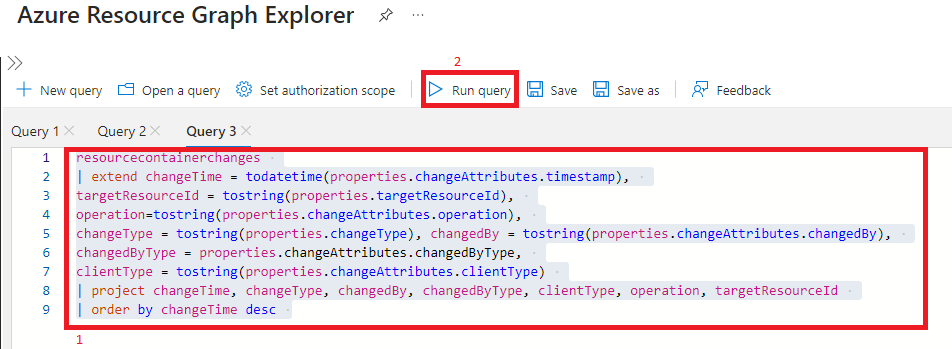
- Once open, add the query below to list changes, who made the change, which client was used, and which operation was called, then press Run query
resourcecontainerchanges
| extend changeTime = todatetime(properties.changeAttributes.timestamp),
targetResourceId = tostring(properties.targetResourceId),
operation=tostring(properties.changeAttributes.operation),
changeType = tostring(properties.changeType), changedBy = tostring(properties.changeAttributes.changedBy),
changedByType = properties.changeAttributes.changedByType,
clientType = tostring(properties.changeAttributes.clientType)
| project changeTime, changeType, changedBy, changedByType, clientType, operation, targetResourceId
| order by changeTime desc
And now the result
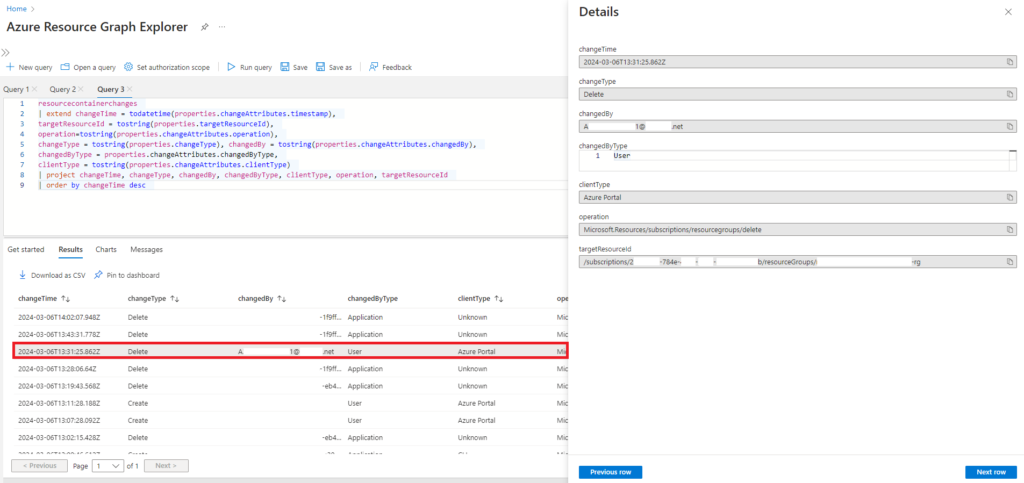
We easily identified that a user performed a Delete operation on the Resource Id, and according to the logs, deleted something in the Resource Group in question, since we are using the table resourcecontainerchanges.
Check at the resource level
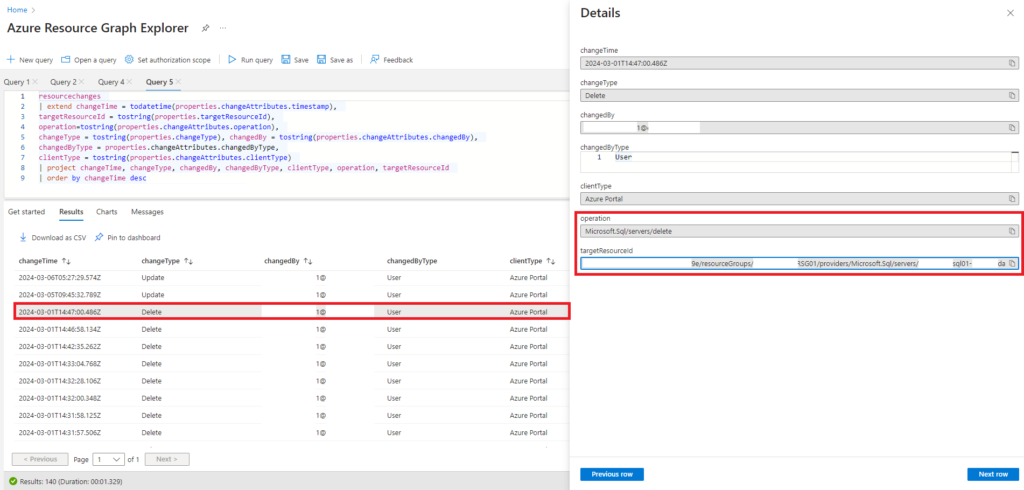
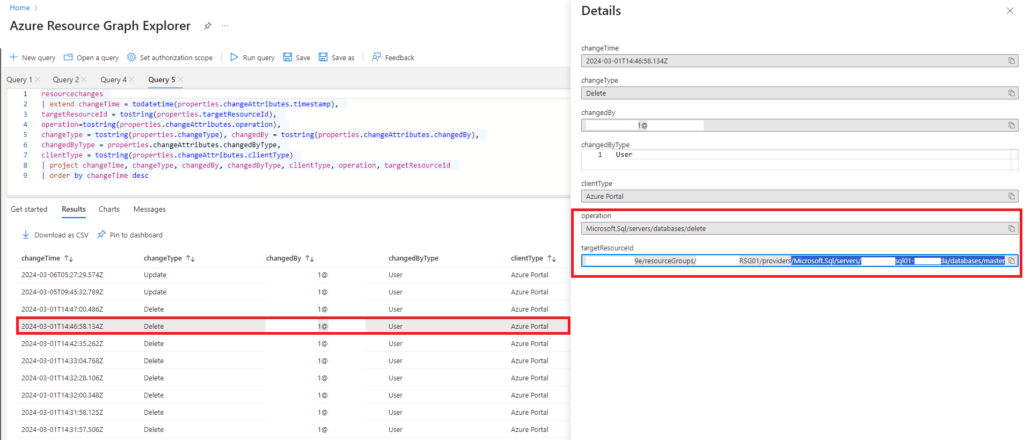
If we want to view changes at the resource level, we will modify the query to resourcechanges instead of resourcecontainerchanges
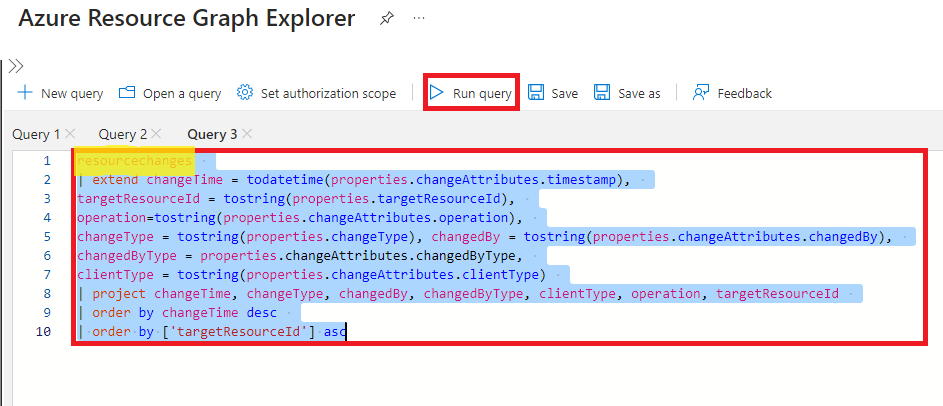
Here we can verify that a particular user, through the Azure Portal, removed the Azure SQL Server
And, consequently, the databases contained in it, such as the master
Sources:
- https://techcommunity.microsoft.com/t5/azure-governance-and-management/announcing-the-public-preview-of-change-actor/ba-p/4076626
- https://learn.microsoft.com/pt-br/azure/governance/resource-graph/how-to/get-resource-changes?tabs=azure-cli#understand-change-event-properties
Photo of Clint Patterson on Unsplash